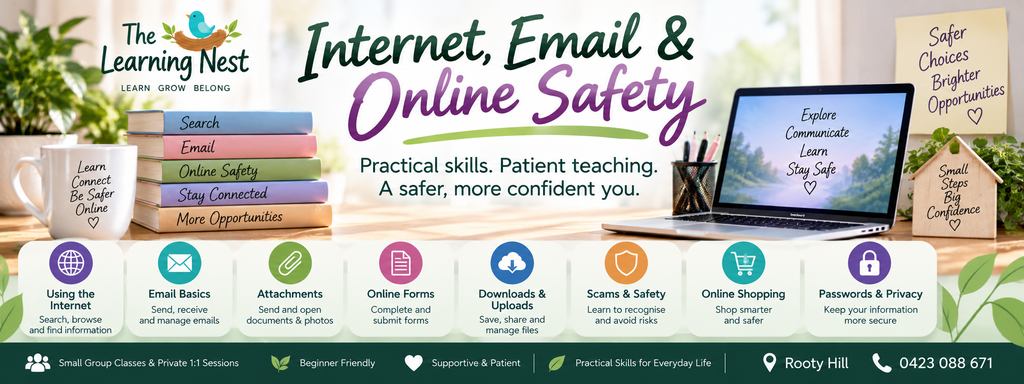
Internet, Email & Online Safety
Stay connected. Stay informed. Stay safer online.
The internet has become part of everyday life — from sending emails and completing forms to shopping, banking, communicating, studying and accessing important services.
But if you’re not confident online, even simple tasks can sometimes feel confusing or overwhelming.
Internet, Email & Online Safety is a practical 10-week beginner program designed to help children and adults develop greater confidence using the internet and email while learning safer and more responsible online habits.
At The Learning Nest, there’s no expectation that you already know how everything works.
We’ll take things step by step, practise together and build practical skills that can be used in everyday life.
🌱 What you will learn………
Throughout the 10-week program, we’ll gradually explore:
- Understanding the internet and how we use it
- Internet browsers, websites, links and tabs
- Searching the internet effectively
- Understanding search results
- Recognising advertisements and sponsored results
- Thinking carefully about information found online
- Creating and using email
- Sending, receiving and replying to emails
- Understanding To, CC and BCC
- Sending and receiving email attachments
- Downloading and uploading files
- Completing online forms
- Creating stronger passwords
- Understanding multi-factor authentication
- Recognising common scam and phishing warning signs
- Protecting personal information online
- Safer online shopping habits
- Social media and privacy basics
- Developing safer everyday online habits
💻 Practical, Real-Life Learning………
This course is designed around skills you may actually need in everyday life.
Rather than simply talking about the internet, learners will have opportunities to practise common digital tasks in a supported environment.
Activities may include:
- Opening and navigating websites
- Using browser tabs
- Conducting internet searches
- Comparing search results
- Identifying advertisements and sponsored content
- Sending and replying to emails
- Adding an email attachment
- Downloading a file
- Uploading a file
- Practising online forms
- Looking for common scam warning signs
- Reviewing password habits
- Exploring privacy settings and safer online choices
🌿 Who is this course for?
Internet, Email & Online Safety may be suitable for:
- Absolute beginners
- Children developing practical digital skills
- Homeschool students
- Adults who feel unsure using the internet
- Adults returning to work or study
- Learners who rely on family or friends for online tasks
- People wanting greater confidence using email
- Anyone wanting to better understand common online scams and risks
- Learners who prefer patient, step-by-step instruction
No advanced computer knowledge is required.
💜 Learn Without The Pressure……
Technology changes quickly, and it’s completely normal to come across something you haven’t seen before.
During this course, questions are encouraged and skills can be demonstrated more than once.
The aim isn’t to memorise every button or become a technology expert.
Instead, learners are encouraged to understand what they are doing, recognise when something doesn’t look right and develop the confidence to stop and check before taking action online.
🌱 STOP • CHECK • THEN ACT
One of the most important habits we’ll practise throughout the course is:
STOP — Don’t rush when a message, website or request creates pressure.
CHECK — Look carefully at who sent it, what is being requested and whether the information can be verified.
THEN ACT — Continue only when you are comfortable with what you are doing.
Learners will also be encouraged to keep control of their own passwords, verification codes, banking information and other sensitive personal information.
🌿 Your 10-Week Learning Journey………
Week 1 – Getting to Know the Internet
Week 2 – Browsers, Websites, Links & Tabs
Week 3 – Searching the Internet & Finding Information
Week 4 – Getting Started with Email
Week 5 – Email Attachments, Downloads & Uploads
Week 6 – Online Forms & Everyday Online Tasks
Week 7 – Passwords, Accounts & Personal Information
Week 8 – Scams, Phishing & Suspicious Messages
Week 9 – Safer Shopping, Privacy & Everyday Online Habits
Week 10 – Practical Online Skills, Review & Confidence Building
🌿 Course Details………
Course: Internet, Email & Online Safety
Level: Beginner
Duration: 10 Weeks
Day: Mondays
Time: 5:30pm to 7:30pm
Session Length: 2 Hours
Fees: $70 per session
Location: Rooty Hill
Age Group: Adults
Learning Style: Small-group, practical and step-by-step learning
Experience Required: No advanced experience required – beginners are welcome
💻 What to bring……..
Where possible, learners are encouraged to bring their own laptop or suitable device.
Learning on your own device can make it easier to become familiar with the technology you actually use at home.
Please never share passwords, banking PINs or private verification codes during class.
🌱 BY THE END OF THE COURSE
Learners should have greater confidence with everyday internet and email tasks and understand how to:
✓ Navigate websites and browser tabs
✓ Search for information online
✓ Better understand search results
✓ Send, receive and reply to emails
✓ Work with email attachments
✓ Download and upload files
✓ Complete basic online forms
✓ Create better password habits
✓ Understand multi-factor authentication
✓ Recognise common scam and phishing warning signs
✓ Think carefully before sharing personal information
✓ Make more considered choices when shopping or interacting online
✓ Stop and check when something online doesn’t seem right
💜 AN IMPORTANT NOTE ABOUT ONLINE SAFETY
This is a practical digital-skills and online-safety-awareness program.
It is not professional cybersecurity training, and no course can guarantee that every website, email, message or online interaction will be safe.
The aim is to help learners develop greater awareness, confidence and safer everyday habits when using technology.
🌿 WHERE TO FROM HERE?
Finished this program? Your learning doesn’t have to stop here.
Continue building your skills with another Learning Nest program.
Possible next learning steps include:
- Computer & Digital Basics
- Microsoft Word for Beginners
- Microsoft Excel for Beginners
As more programs are introduced, learners can continue building their digital skills one step at a time.
💜 READY TO START LEARNING?
Whether you’re learning for school, work, study, everyday life or simply want to feel more confident online, you are welcome to start from the beginning.
Learn practical internet and email skills in a patient and supportive environment while developing habits that can help you navigate the online world with greater awareness.
🌿 Learn • Grow • Belong
