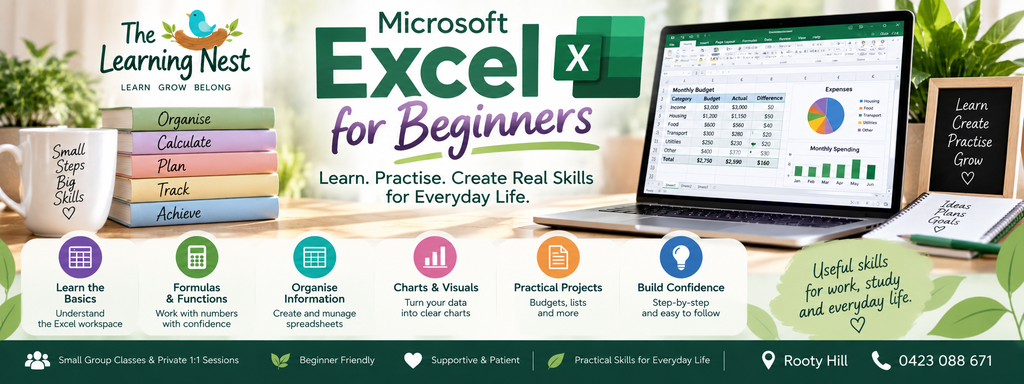
Microsoft Excel for Beginners
Turn numbers into practical, everyday skills.
Would you like to learn Microsoft Excel but aren’t sure where to begin?
Microsoft Excel for Beginners at The Learning Nest introduces spreadsheets step by step in a patient, practical and beginner-friendly environment.
Whether you would like to use Excel for work, study, household budgeting, organising information or simply learn a useful new digital skill, this program will help you build confidence from the beginning.
You don’t need previous Excel experience.
We’ll start with the basics, practise together and gradually build towards creating useful spreadsheets of your own.
Who Is This Class For?
Microsoft Excel for Beginners may be suitable for adults who:
- Have never used Excel before
- Have used Excel a little but don’t understand how it works
- Want to improve their digital skills
- Are returning to work or study
- Need basic spreadsheet skills for employment
- Want to create household budgets or expense trackers
- Want to organise lists and information
- Would like to understand formulas and calculations
- Prefer patient, step-by-step instruction
- Want to learn through practical activities
Complete beginners are very welcome.
What Will I Learn?
Getting to Know Microsoft Excel
We’ll start by becoming familiar with the Excel workspace.
Learn about:
- Workbooks and worksheets
- Rows and columns
- Cells
- Cell addresses
- The Ribbon and menus
- Worksheet tabs
- The Formula Bar
- Selecting cells
- Moving around a spreadsheet
- Creating a new workbook
- Opening an existing workbook
Entering & Editing Information
Learn how to enter and change information confidently.
Practise:
- Entering text
- Entering numbers
- Entering dates
- Editing cell contents
- Clearing information
- Copying and pasting
- Cutting and moving information
- Undo and redo
- AutoFill
- Adding and deleting rows and columns
Making Spreadsheets Easy to Read
A good spreadsheet isn’t just about numbers — it should also be clear and easy to understand.
Learn how to:
- Change fonts and text size
- Use bold, italics and alignment
- Change column widths
- Adjust row heights
- Wrap text
- Add borders
- Apply simple cell formatting
- Create clear headings
- Format numbers
- Format dates
- Format currency
- Format percentages
Understanding Simple Formulas
Formulas are one of the most useful parts of Excel.
We’ll introduce them gradually so you can understand what Excel is actually calculating.
Learn about:
- What a formula is
- Using the equals sign
- Addition
- Subtraction
- Multiplication
- Division
- Cell references
- Copying formulas
- Understanding basic calculation errors
Useful Excel Functions
Once you’re comfortable with simple formulas, we’ll introduce some commonly used functions.
These may include:
- SUM
- AVERAGE
- MIN
- MAX
- COUNT
You’ll practise using them with simple, realistic examples rather than learning formulas without understanding what they’re for.
Organising Information
Learn how Excel can help you manage lists and information.
Topics may include:
- Creating simple tables
- Adding headings
- Organising information into columns
- Sorting information
- Basic filtering
- Keeping data consistent
- Making larger lists easier to read
Everyday Budgeting with Excel
One of the best ways to understand Excel is to use it for something practical.
Learn how to create a simple budget or expense tracker containing
🌿 COURSE DETAILS
Course: Microsoft Excel for Beginners
Level: Absolute Beginner
Duration: 10 Weeks
Class Day: Wednesdays
Time: 5:30pm – 7:30pm
Session Length: 2 Hours
Location: Rooty Hill
Course Fee: Adults — $70 per session
Class Style: Small-group, practical learning
Experience Required: None – complete beginners are welcome
🌱 WHAT’S INCLUDED
Throughout the 10-week program, you’ll receive patient, step-by-step instruction with plenty of opportunity to practise what you are learning.
We’ll work through practical Excel activities covering spreadsheets, formatting, formulas, functions, tables, sorting, filtering and everyday applications such as simple budgets and expense tracking.
No previous Excel experience is required.
💜 LEARN AT YOUR OWN PACE
There’s no expectation that everyone will learn at exactly the same speed.
Questions are encouraged, skills can be practised more than once, and the focus is on understanding what you are doing rather than simply keeping up with the class.
🌿 READY TO START LEARNING?
If you’ve always wanted to learn Excel, need it for work or study, or simply want to become more confident using spreadsheets, this is a comfortable place to begin.
Learn • Grow • Belong
Click Enrol Now to complete your Adult Learning enrolment form.
